

Before you begin
You need:- A ChatGPT account
- A SalesCaptain account you can log in to
- A Client ID and Client Secret from SalesCaptain. If you don’t have them yet, follow Create an MCP client.
Connect ChatGPT
1
Copy your client details from SalesCaptain
In the SalesCaptain app, go to Settings > API & Webhooks. Under MCP authentication, copy the Client ID and Client Secret of your MCP client.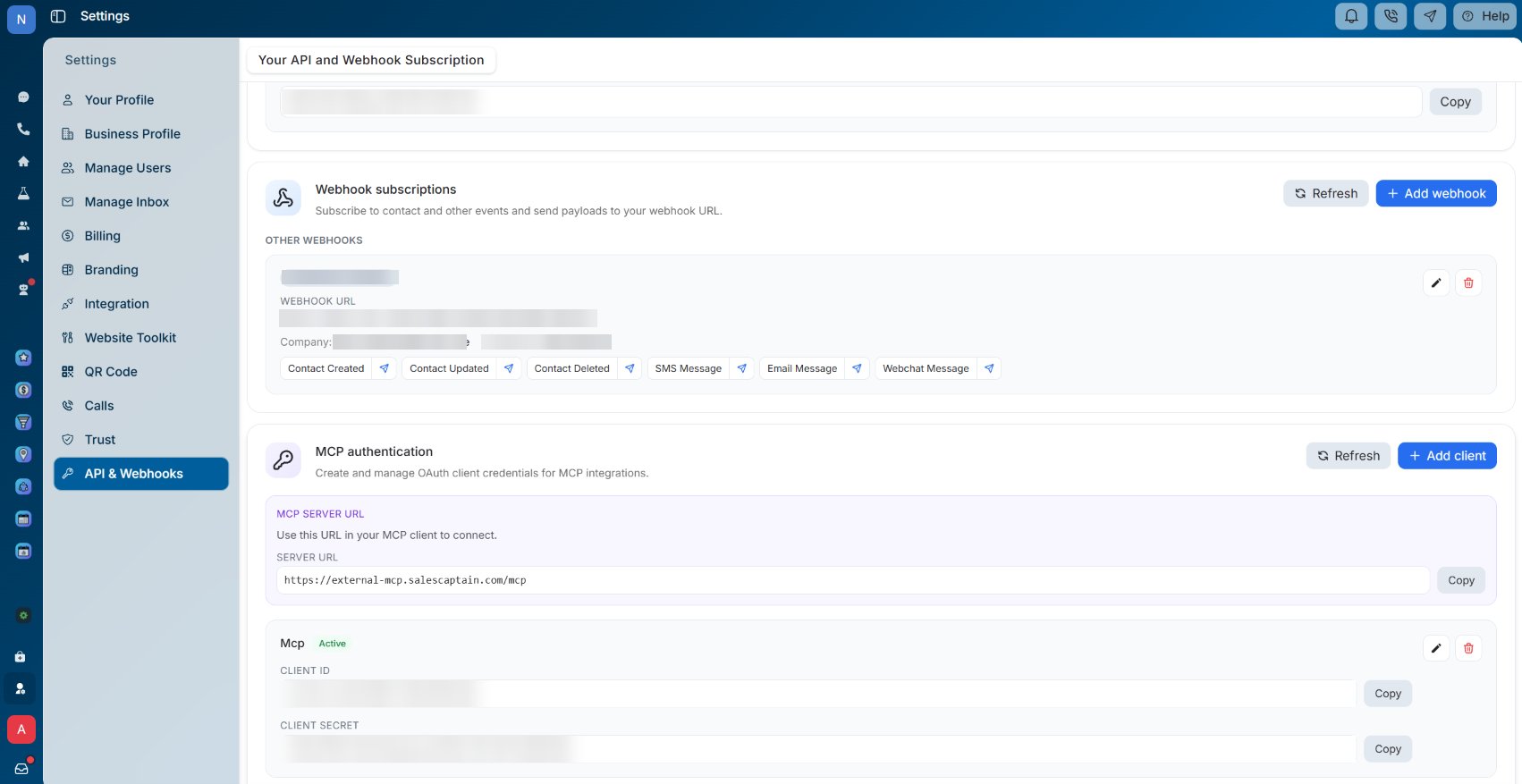
2
Open Plugins in ChatGPT
In ChatGPT, click Plugins in the sidebar. Then click Add in the top-right corner and choose to add a custom MCP server.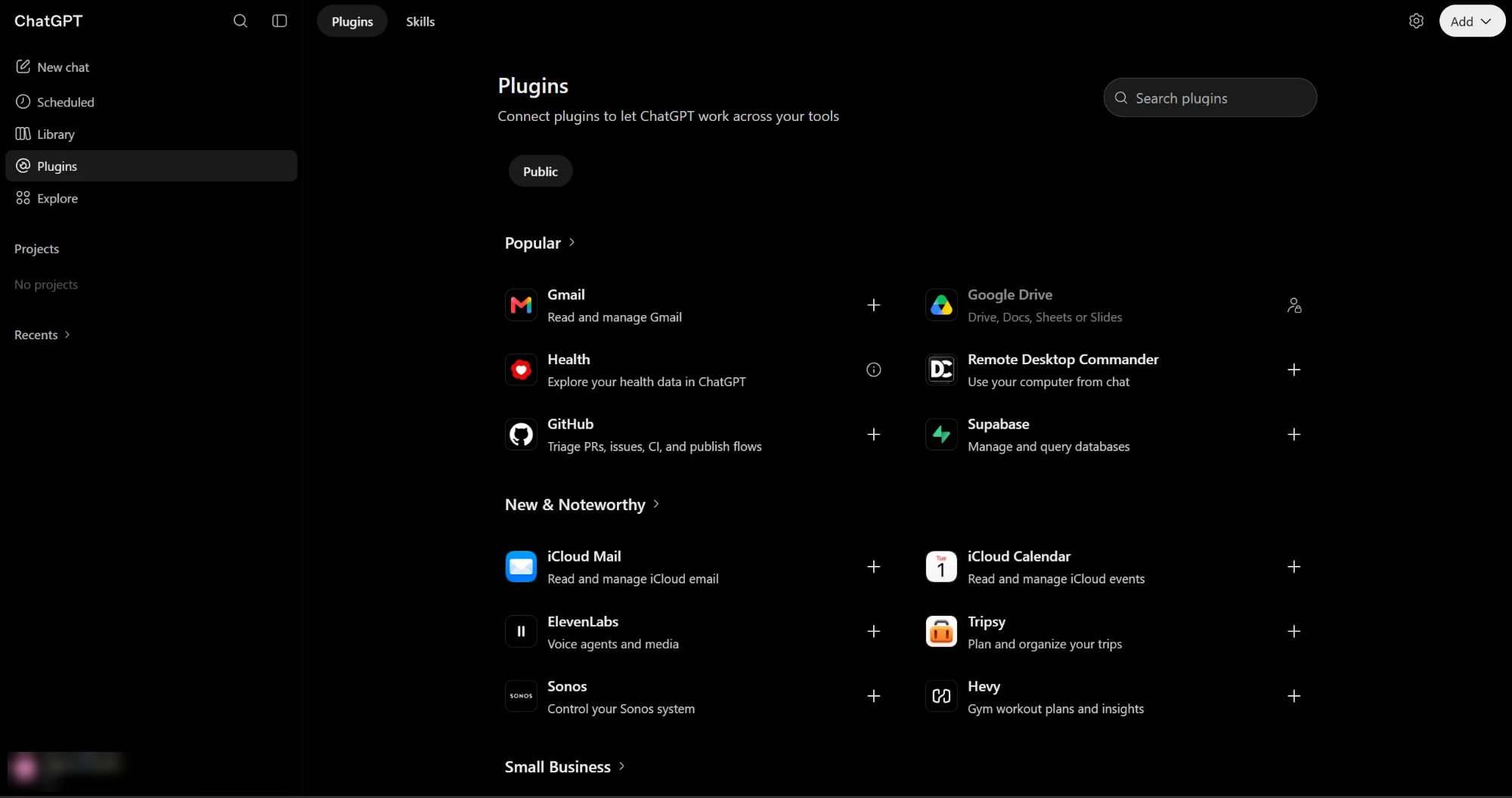
3
Enter the server details
In the Add custom MCP server dialog, fill in:
-
Name:
Salescaptain -
Connection: select Server URL, then enter
https://external-mcp.salescaptain.com/mcp -
Authentication:
OAuth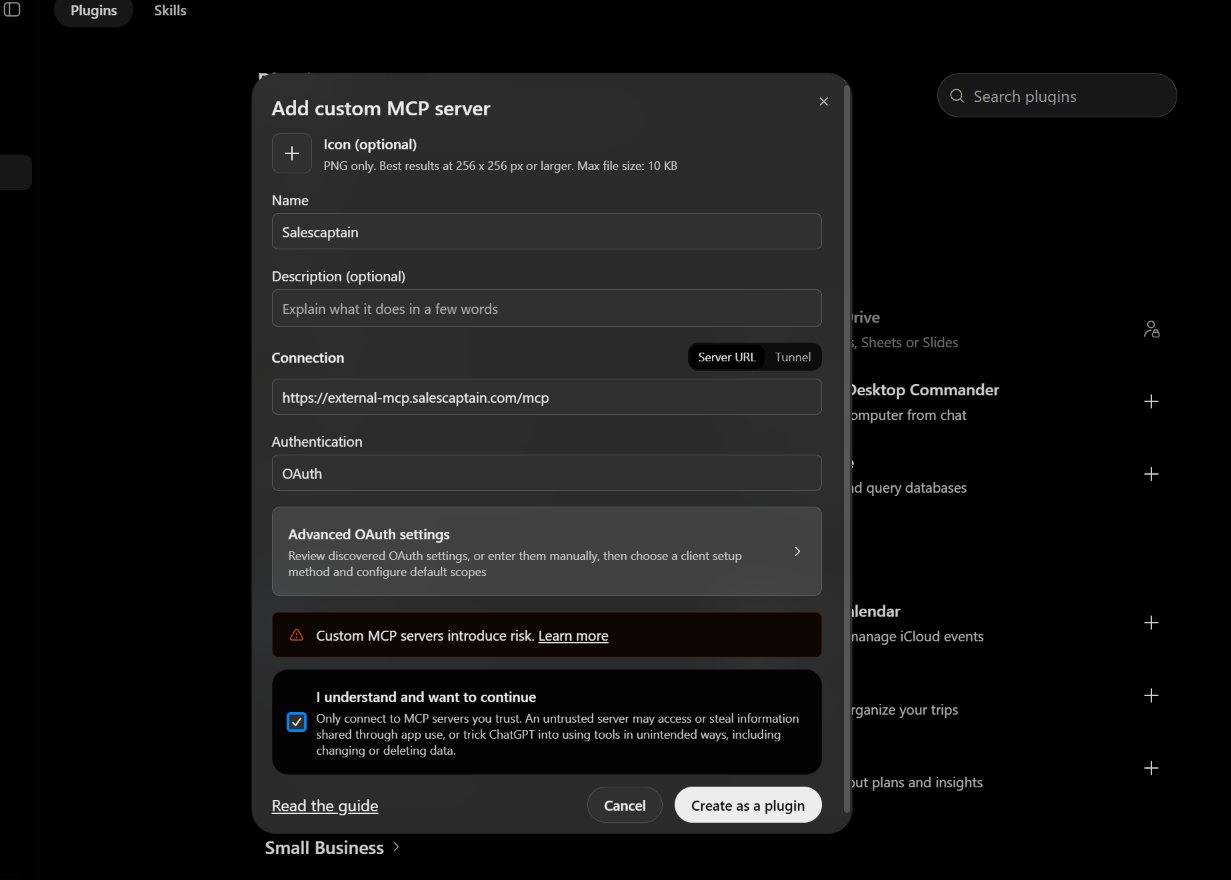
4
Paste your OAuth client details
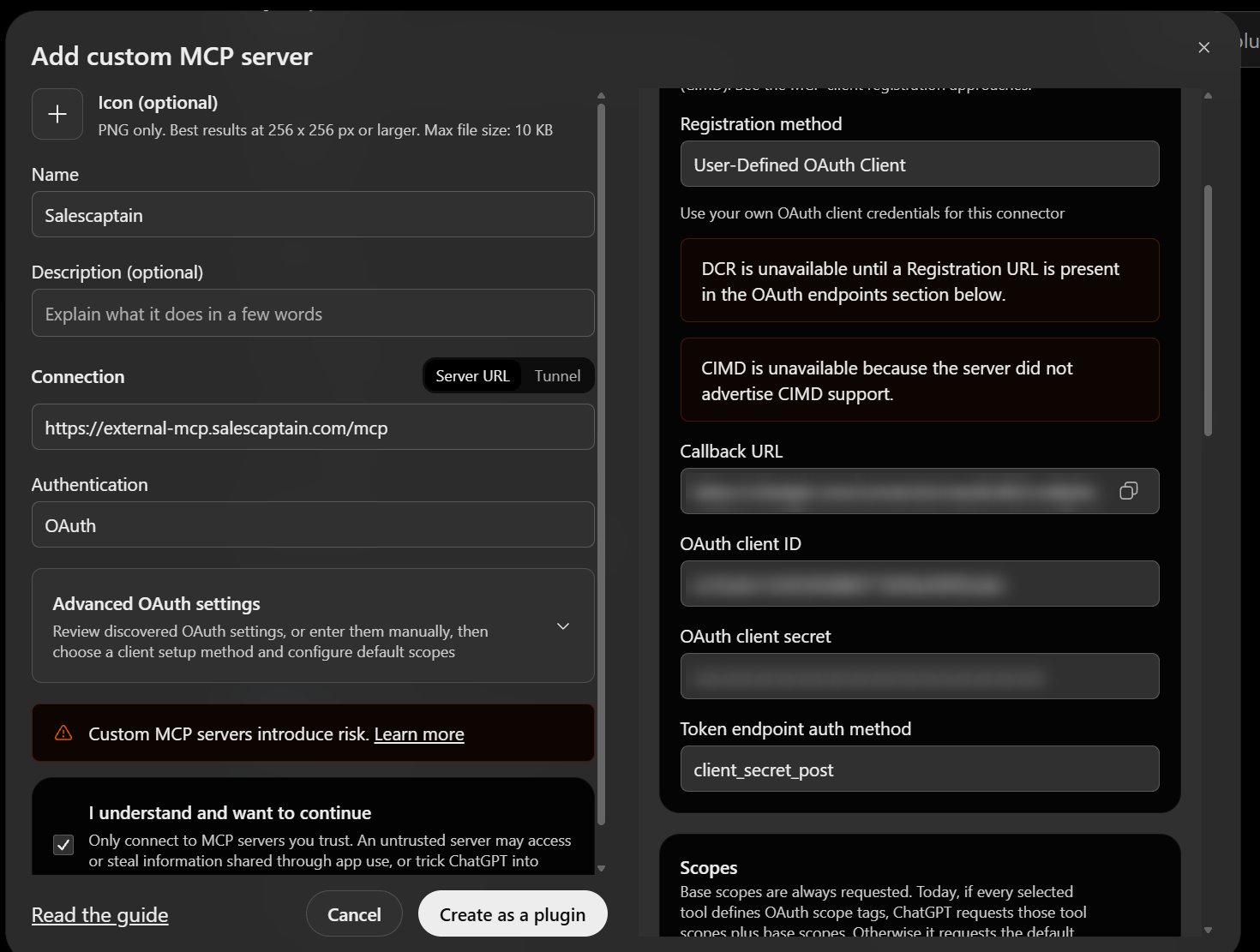
- Click Advanced OAuth settings.
- Set Registration method to User-Defined OAuth Client.
- Paste the Client ID from SalesCaptain into OAuth client ID.
-
Paste the Client Secret from SalesCaptain into OAuth client secret.
5
Create the plugin
Select I understand and want to continue, then click Create as a plugin.
6
Connect to SalesCaptain
ChatGPT shows Connect Salescaptain. Click Continue to Salescaptain.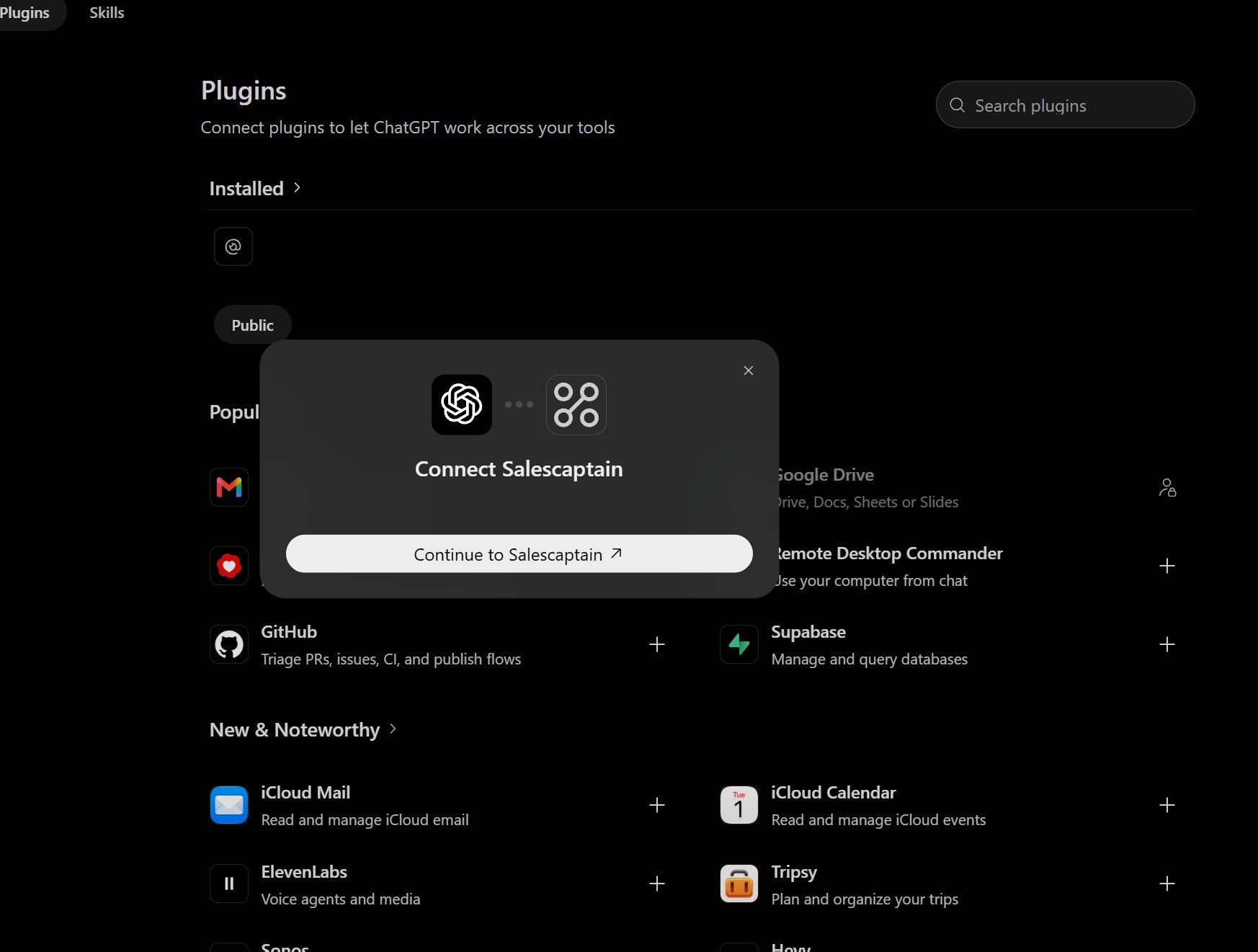
7
Log in with SalesCaptain
A SalesCaptain login window opens. Sign in with your SalesCaptain email and password, then click Sign In.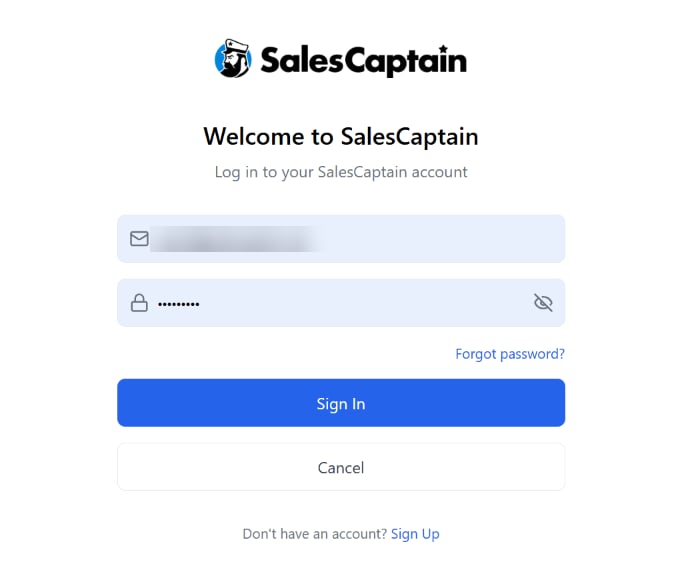
8
Check the connection
Salescaptain now appears in your installed plugins. Use the permission setting next to it to choose when ChatGPT asks for your approval before using SalesCaptain tools.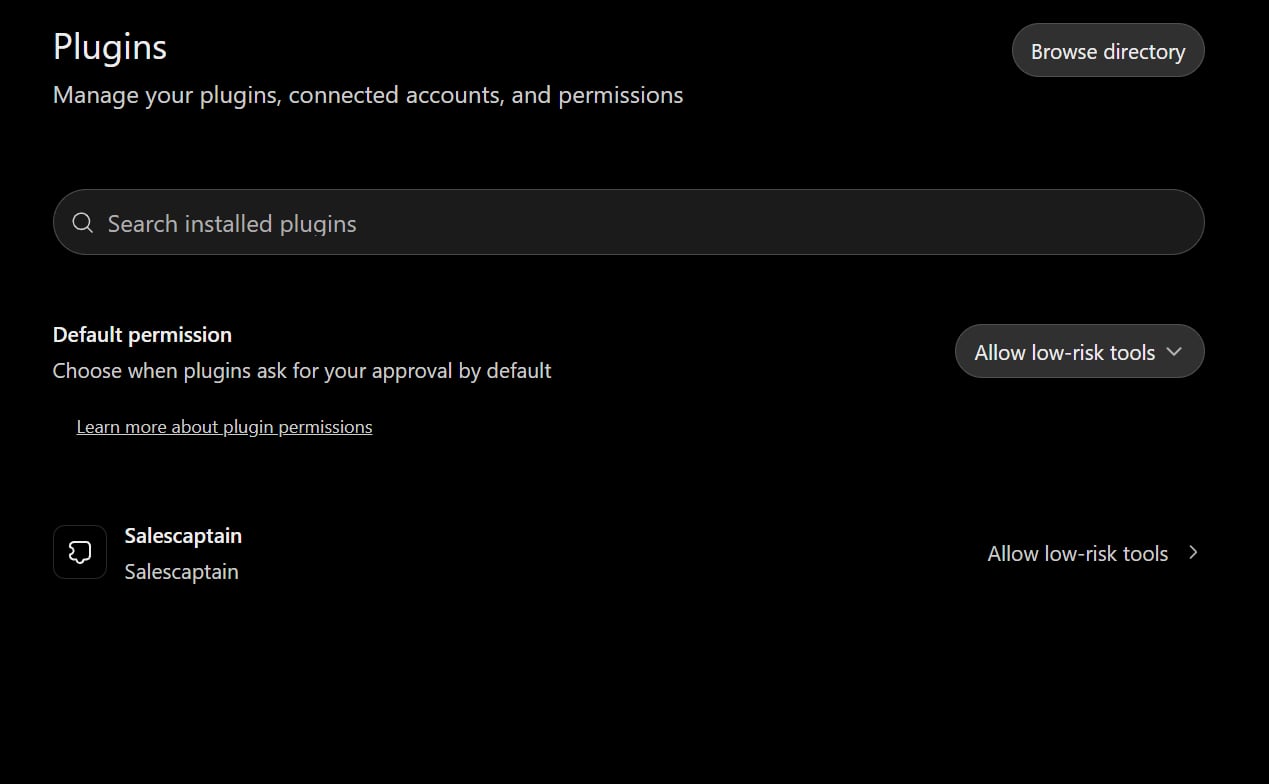
Try it
Ask ChatGPT something like:- List my recent contacts in SalesCaptain.
- Show call analytics for last month.
Next steps
- See every tool ChatGPT can use in Available tools.
- Try ready-made prompts in Examples.